Navigating the vast world of gaming headphones can feel overwhelming, especially when you're balancing life, work, and your precious gaming sessions. This comprehensive guide on how to choose headphones for gaming is designed for the modern gamer who values both performance and practicality. We cut through the hype to offer clear, actionable advice on selecting the perfect headset to enhance your relaxation, sharpen your skills, and deepen your social connections in virtual worlds. From understanding audio fidelity and microphone clarity to optimizing comfort for long play sessions and making smart budget-friendly choices, we cover everything you need. Discover trending features like advanced spatial audio, seamless multi-platform connectivity, and the latest wireless technologies that elevate your experience without overcomplicating your setup. This article aims to arm you with the knowledge to make an informed decision, ensuring your next gaming audio purchase is a true upgrade, not just another gadget. Get ready to immerse yourself fully and communicate clearly, making every gaming moment count.
What's the real difference between a "gaming headset" and regular headphones?
Gaming headsets are specifically designed with features crucial for gamers, often integrating a high-quality microphone for communication, virtual surround sound for positional audio, and ergonomic designs built for extended comfort during long play sessions. Regular headphones, while sometimes offering superior audio fidelity for music, typically lack an integrated gaming-optimized mic and specific features like low-latency wireless or game-specific sound profiles. For competitive or social gaming, the headset’s integrated features often provide a more convenient and effective experience.
How do I know if a headset will be comfortable for my head and ears?
Comfort is highly personal, but several indicators help: look for headsets with adjustable headbands, ample padding, and breathable earcup materials like velour or memory foam with cooling gel. Pay attention to the clamping force – too tight, and it causes headaches; too loose, and it falls off. Reading user reviews from people with similar head sizes or those who wear glasses is invaluable. If possible, try them on. Many busy gamers only have limited time to play, so discomfort can quickly ruin the experience.
Are expensive gaming headphones always better, or can I find good value in cheaper models?
While expensive gaming headphones often offer premium materials, advanced features like superior spatial audio, and higher-fidelity drivers, you absolutely can find excellent value in mid-range and even some entry-level models. Many brands offer fantastic wired headsets around the $50-$80 mark and strong wireless options in the $100-$150 range that meet the needs of most gamers. Prioritize the core features important to you (sound, mic, comfort) rather than chasing the highest price tag, especially if you're upgrading on a budget. Don't fall for hype; focus on value for your money.
Can a good gaming headset help me improve my gameplay?
Yes, a good gaming headset can definitely help improve your gameplay, especially in competitive titles. With clear, accurate positional audio, you can pinpoint enemy locations, anticipate movements, and react faster to in-game cues like footsteps or reloading sounds. A high-quality microphone ensures your team hears your callouts clearly, leading to better coordination and execution of strategies. These elements provide a tangible advantage, allowing you to focus on skill-building and strategy without audio distractions or communication breakdowns.
What's the best way to clean and maintain my gaming headphones?
Regular cleaning extends the life and comfort of your gaming headphones. For earcups, use a damp cloth with mild soap or an electronics cleaner (test on an inconspicuous spot first). For fabric earcups, a gentle wipe is often enough. For the headband, a simple wipe-down. Use a soft brush or cotton swab to carefully clean any grilles or microphone openings. Always disconnect them from power before cleaning, and allow them to air dry completely. Avoid harsh chemicals or excessive moisture, especially near electronics components. This ensures hygiene and preserves the materials.
Should I prioritize a headset with active noise cancellation (ANC)?
Active Noise Cancellation (ANC) can be beneficial for gamers who play in noisy environments or wish to fully immerse themselves without external distractions. ANC works best on consistent, low-frequency sounds (like PC fans or distant traffic), creating a quieter gaming space. However, it can add to the cost, sometimes slightly impact sound quality, and requires its own power source. For those who need to remain aware of their surroundings (e.g., parents needing to hear kids), ANC might be a disadvantage. Most gaming headsets rely on passive noise isolation from earcup design, which is often sufficient.
Are there any common setup issues with new gaming headphones I should know about?
Yes, common setup issues include incorrect audio output/input device selection on PC (check Sound Settings), firmware updates required for wireless headsets, and console compatibility checks (some headsets are platform-specific). Always install any companion software for PC headsets to access full features like EQ and virtual surround sound. For wireless, ensure the dongle is fully plugged in and paired. If you experience muffled sound or mic issues, double-check all connections and device settings. A quick online search for your specific model's setup guide can save a lot of frustration, helping you get to gaming faster.
As dedicated gamers juggling careers, family, and life's demands, we know those precious hours spent in virtual worlds are more than just a pastime; they're an essential escape, a social hub, and a place for skill mastery. With 87% of US gamers playing regularly, often dedicating 10+ hours a week, and mobile gaming continuing its dominance alongside PC and console, a critical piece of your setup often gets overlooked: your audio. You've invested in your rig or console, but are your headphones truly delivering the immersive sound and crystal-clear communication you need to win, relax, and connect? Nothing pulls you out of a tense firefight or a cozy co-op session faster than muffled comms or a crackling headset.
Choosing the right gaming headphones isn't just about the latest buzzword or the most expensive model. It's about finding the perfect blend of audio fidelity, comfort, microphone clarity, and value that fits your unique gaming habits and lifestyle. This guide is your no-nonsense resource for how to choose headphones for gaming in 2026. We'll cut through the marketing jargon, address common pain points like tricky setups and budget constraints, and equip you with the knowledge to make an informed decision that elevates every gaming moment, whether you're strategizing on Discord, diving into a new open world, or unwinding with friends after a long day. Let's find your audio endgame.
What is the most important factor when choosing gaming headphones?
The most important factor when choosing gaming headphones for most players is a balanced combination of sound quality and comfort. While a clear microphone is crucial for team play and spatial audio enhances immersion, if your headphones sound muddy or feel like clamps after an hour, your entire experience suffers. Prioritize clear audio that lets you pinpoint enemy footsteps and appreciate game soundtracks, alongside an ergonomic design that allows for long, comfortable gaming sessions without fatigue, especially for adult gamers who might only get a few hours of play in after a busy day.
Modern gaming demands headphones that can deliver both crisp highs for detail and rich lows for impact, without one overpowering the other. For those who balance gaming with work, comfort is paramount; you don't want a headache after a brief escape. Look for lightweight designs, breathable earcups (often velour or hybrid materials), and adjustable headbands that distribute pressure evenly. Many newer models even incorporate cooling gel in earcups, a fantastic innovation for extended wear during those marathon weekend sessions.
Wired vs Wireless Gaming Headphones: Which is better for me?
The choice between wired and wireless gaming headphones boils down to your priorities: reliability and zero latency (wired) versus freedom of movement and convenience (wireless). Wired headphones offer consistent, lag-free audio and never need charging, making them ideal for competitive play or if you frequently forget to charge devices. They're also generally more affordable for comparable audio quality.
Wireless headphones, on the other hand, provide unparalleled freedom, allowing you to move around your gaming space without yanking a cable. Modern wireless technologies, particularly those using 2.4GHz dongles (not Bluetooth for primary gaming), have drastically reduced latency, making them a strong contender even for serious gamers. However, they require charging and can be more expensive. For the busy gamer who might step away for a quick break or move between a PC and console on opposite sides of a room, wireless often wins for sheer convenience. Just remember to charge them!
How important is microphone quality for gaming?
Microphone quality is critically important for team-based gaming and social interactions, especially for the 60% of gamers who value social play and frequent Discord chats. A clear, noise-canceling microphone ensures your teammates hear your callouts and strategies accurately, without background distractions like keyboard clicks, a crying baby, or the vacuum cleaner running in the next room. Poor mic quality leads to frustration, misunderstandings, and a less enjoyable social experience.
Look for headphones with detachable or flip-to-mute microphones, often a boom mic design, as these generally offer superior clarity compared to integrated or hidden mics. Features like noise cancellation or noise reduction are a huge plus, particularly for those gaming in shared living spaces. Some high-end headsets even incorporate AI-powered noise gating that can dramatically clean up your voice. For adults who might also use their headset for work calls, a high-quality mic offers excellent versatility.
Do I really need virtual surround sound for gaming?
While not strictly "needed" to game, virtual surround sound (like 7.1 or spatial audio) can significantly enhance immersion and competitive advantage, making it a valuable feature for many. It creates a more expansive soundstage, allowing you to better pinpoint the direction of sounds – footsteps, gunfire, ability cues – in a 3D space. This can be a game-changer in titles where positional audio is key, such as tactical shooters or survival horror games, helping you react faster and improving situational awareness.
However, it's important to understand that virtual surround sound is simulated using stereo drivers and software processing, not actual multiple speakers. The effectiveness varies greatly between implementations. Some gamers prefer pure stereo for music and competitive play where they feel the spatial cues are more precise. For immersive single-player experiences or social games where atmosphere matters, a well-implemented virtual surround sound system can truly pull you into the game world, transforming a good experience into a great one. Many popular headsets now offer excellent spatial audio solutions, often driven by software on PC or native console features.
What are the best gaming headphone features for multi-platform gamers?
For gamers who jump between PC, console (PlayStation, Xbox, Switch), and even mobile, multi-platform compatibility and versatile connectivity are paramount. The best headphones for this scenario offer several key features:
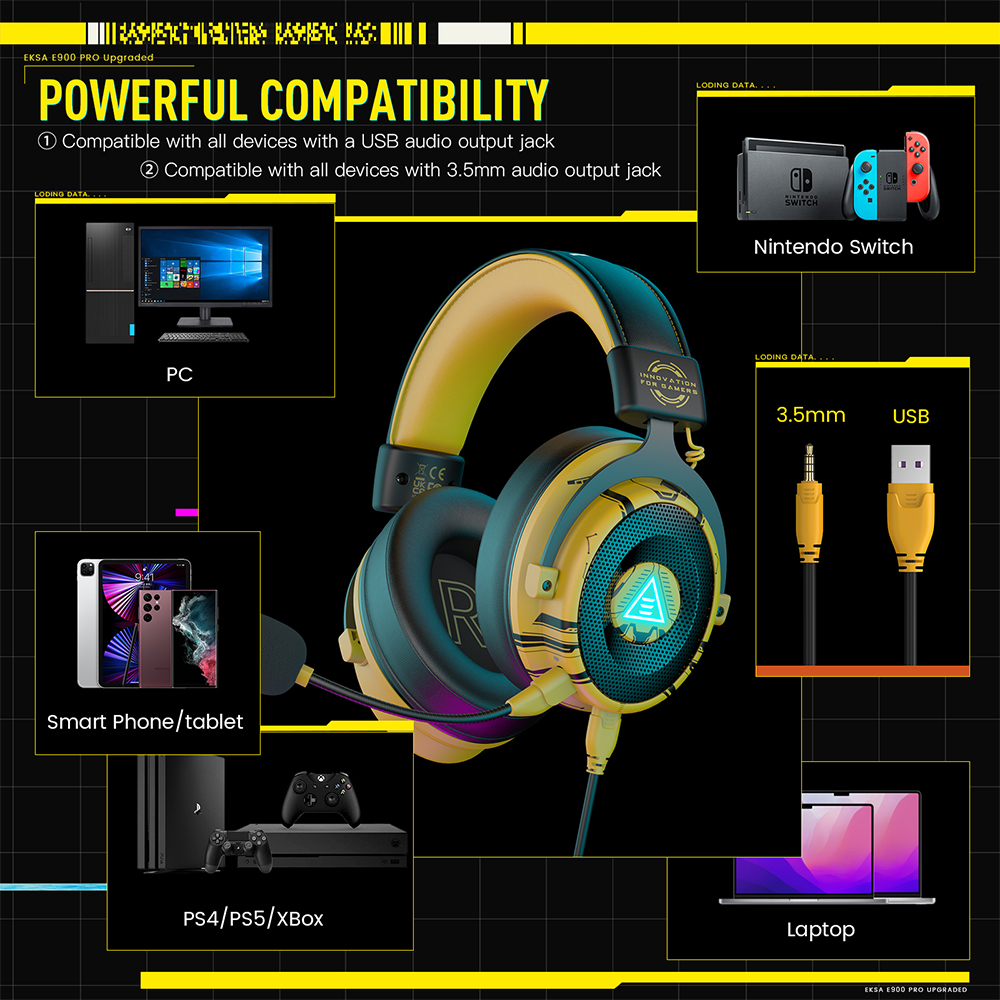
- USB-C or 3.5mm Jack: These connections provide broad compatibility across most devices. A 3.5mm jack is nearly universal for controllers and older devices.
- 2.4GHz Wireless Dongle: Many premium wireless headsets use a USB dongle for low-latency wireless. Look for dongles that are compatible with multiple platforms (e.g., a USB-C dongle that works with PC, PlayStation, and Switch handheld).
- Bluetooth Connectivity: While not ideal for primary gaming due to higher latency, Bluetooth is fantastic for mobile gaming, listening to music on the go, or connecting to your phone for Discord while playing on a console.
- Simultaneous Connectivity: Some advanced headsets offer the ability to connect to two devices at once (e.g., 2.4GHz to your PC and Bluetooth to your phone), allowing you to hear game audio and take calls or chat on Discord seamlessly. This is a huge convenience for the busy, social gamer.
- Detachable Cables and Microphones: These features enhance portability and make the headset more versatile for different uses, transforming it from a dedicated gaming peripheral into everyday headphones.
How much should I spend on gaming headphones? What's a good budget?
The "right" budget for gaming headphones depends heavily on your expectations and how often you game, but you don't need to break the bank for excellent quality.
- Entry-Level ($50-$80): You can find solid, comfortable wired headsets with decent audio and acceptable microphones. Great for casual gamers or those on a tight budget who prioritize value.
- Mid-Range ($80-$150): This is the sweet spot for many adult gamers. Here, you'll find reliable wired and even some good wireless options with improved sound quality, better build materials, more comfortable designs, and often superior microphones with noise cancellation. Many popular brands offer fantastic value here.
- High-End ($150-$300+): These offer premium features like audiophile-grade drivers, advanced spatial audio, extended battery life for wireless models, superior comfort, and robust build quality. Often, these include sophisticated software suites for customization and multi-device connectivity. For competitive players or those who game extensively and truly appreciate top-tier audio, the investment is often worthwhile.
Consider your usage: if you game for just a few hours a week for relaxation, a mid-range option offers fantastic value. If you're a daily player, social butterfly, or competitive participant, investing in the higher end of the mid-range or even a premium model will pay dividends in comfort and performance. Remember, gaming is a major industry, with global revenues continually rising, and manufacturers are putting out incredible tech at every price point. Do your research, read reviews, and prioritize what matters most to your personal gaming style.
What role does comfort play in choosing gaming headphones for long sessions?
For gamers who balance demanding lives with their passion, comfort is absolutely non-negotiable for long sessions. The average gamer might play 10+ hours a week, often in longer chunks when time allows. An uncomfortable headset can quickly lead to ear fatigue, headaches, and general discomfort, turning your relaxing escape into a chore. This is particularly true for adults who wear glasses or have larger heads.
Prioritize lightweight designs to reduce pressure on your head and neck. Look for breathable earcups made from materials like velour, mesh fabric, or perforated leatherette, which help prevent heat buildup and sweating. Adjustable headbands with ample padding and flexible clamping force are crucial for a personalized fit. Some high-end models feature suspension headbands or self-adjusting designs that distribute weight more evenly. Always check reviews that specifically mention long-term comfort, as what feels good for 15 minutes might become unbearable after two hours. A comfortable headset means you can stay immersed and enjoy your game without distraction.
How can I optimize my gaming audio setup beyond just the headphones?
Beyond choosing the right headphones, several factors can optimize your overall gaming audio experience, especially on PC.
- DACs and Amps: For PC gamers, an external Digital-to-Analog Converter (DAC) and amplifier can significantly improve sound quality, especially with higher impedance headphones. They bypass your computer's often-inferior onboard audio, providing cleaner power and clearer sound.
- Software Equalization: Many gaming headsets come with companion software that allows you to customize EQ settings. Experiment with presets or create your own to enhance footsteps, bass, or overall clarity based on the game you're playing.
- Platform-Specific Audio Settings: Consoles like PlayStation and Xbox have their own spatial audio solutions (e.g., Tempest 3D Audio on PS5, Dolby Atmos/DTS Headphone:X on Xbox). Ensure these are enabled and configured correctly in your console's sound settings.
- Driver Updates: Keep your audio drivers (for sound card or headset) updated on PC to ensure optimal performance and compatibility.
- Cable Management (Wired): Ensure wired connections are routed neatly to prevent accidental tugs or kinks, which can cause damage or intermittent audio.
Optimizing these elements can elevate even a good pair of headphones into a fantastic audio system, bringing out details you might have missed and truly immersing you in your favorite titles.
Choosing the perfect gaming headphones in 2026 doesn't have to be a bewildering quest. By focusing on sound quality, comfort, microphone clarity, and your specific needs for connectivity and budget, you can make an informed decision that significantly enhances your gaming life. Remember to consider how you game – casually, competitively, socially – and what platforms you use most often. The right headset isn't just about sound; it's about making your limited gaming time more enjoyable, more effective, and more connected. Invest wisely, and prepare to immerse yourself fully. What's your biggest gaming audio challenge right now? Comment below and let's tackle it!
FAQ: How to Choose Headphones for Gaming
Q: Are gaming headphones good for listening to music?
A: Many modern gaming headphones, especially those in the mid to high-end range, offer excellent audio fidelity that makes them suitable for music. While some audiophiles might prefer dedicated music headphones, gaming headsets have significantly improved their sound profiles, often featuring balanced drivers capable of reproducing a wide range of frequencies for both immersive gaming and enjoyable music playback. Look for headsets that emphasize "balanced sound" or "rich audio" in their descriptions.
Q: Should I prioritize open-back or closed-back headphones for gaming?
A: The choice depends on your environment and preference. Closed-back headphones offer superior noise isolation, preventing game audio from leaking out and blocking external distractions. This is ideal for competitive play or noisy environments. Open-back headphones provide a wider soundstage and more natural audio, which some find more immersive and less fatiguing, but they leak sound and let in ambient noise, making them better for quiet gaming spaces where maximum immersion and airiness are desired.
Q: Can I use regular Bluetooth headphones for gaming?
A: While you can use regular Bluetooth headphones, it's generally not recommended for PC or console gaming due to higher latency (audio delay). This delay can be very distracting in fast-paced games. Bluetooth is acceptable for casual mobile gaming or listening to game soundtracks, but for critical gaming, dedicated 2.4GHz wireless headsets or wired connections offer significantly lower latency for a seamless experience. Some newer Bluetooth versions like LE Audio are improving this, but dedicated gaming solutions are still superior for responsiveness.
Q: What is "sidetone" and why is it useful?
A: Sidetone (also called mic monitoring) is a feature that feeds a small amount of your own microphone audio back into your headphones. It's incredibly useful because it prevents you from feeling like you're yelling or talking too loudly when communicating with teammates, especially with noise-isolating closed-back headsets. Hearing your own voice naturally can make communication feel more comfortable and less fatiguing during long gaming sessions, helping you moderate your voice level without disturbing others in your household.
Critical factors for how to choose headphones for gaming include immersive sound quality (surround sound), supreme comfort for extended wear, crystal-clear microphone performance for team communication, reliable connectivity options (wired or wireless), and finding the best value within your budget. Consider multi-platform compatibility and spatial audio features for a truly enhanced experience.
35


How To Choose The Right Gaming Headset In 2026 Blog RazerBlog CTRGH 1920x1200 . How To Choose A Gaming Headset In 2026 Competitive FPS Immersion And . How To Choose A Gaming Headset In 2026 Competitive FPS Immersion And. The 3 Best Gaming Headsets Of 2026 Audio Comfort The 3 Best Gaming Headsets Of 2026 1024x576 . 8 Best Logitech Gaming Headphones Of 2026 Top Logitech Gaming Headphones


Best Gaming Headsets 2026 Watch Before You Buy YouTube . Best Gaming Headsets Of 2026 From Budget Picks To Pro Audiophile . How To Choose The Best Wireless Headset A Complete Buying Guide . Best Gaming Headsets Of 2026 Blank Best Gaming Headsets Of 2025 UK Blog Feature Image Main TextTwitter . How To Choose A Gaming Headset In 2026 Competitive FPS Immersion And

Best Gaming Headset 2026 Top Picks For Competitive And Casual Gaming AC SL1000 . Best Gaming Headsets For 2026 109QTM910 884MXWELLP 158WHG900 0205 1200x628 . Wireless Gaming Headset Unlock Your Perfect Console Sound 2025 How To Choose The Right Wireless Gaming Headset For Your Console . The 5 Best Gaming Headsets For Streaming In 2026 Wired Wireless Best Gaming Headset 2026 Hero. How To Choose A Gaming Headset In 2026 Competitive FPS Immersion And


The Best Gaming Headsets We Ve Tested For 2026 PCMag 13.fit Lim.size . The Best Audiophile Headphones For Gaming In 2026 My Top 1024 80 . How To Choose The Best Wireless Headphones Earbuds For Gaming In 202 Best Gaming Headphone . How To Choose A Gaming Headset What To Look Out For How To Choose A Gaming Headset . How To Choose The Best Gaming Headphones For Superior Audio Quality Banner 14 9f212e17 1b09 459b Ae15



Best Gaming Headsets Of 2026 Best Gaming Headsets Of 2025 Blog Feature Image Facebook Text . Best Gaming Headset 2026 Top Trends Buyer S Guide Wantek The Definitive Guide To Gaming Audio Top Trends In Gaming Accessories For 2026 And Choosing The Best Gaming Headset 6198469 . How To Choose A Gaming Headset In 2026 Competitive FPS Immersion And . How To Choose A Gaming Headset In 2026 Competitive FPS Immersion And. How To Choose Headphones For Gaming And Music Headphone Experts How To Choose Headphones For Gaming And Music 768x431

How To Choose Gaming Headphones 2026 How To Choose.webp. How To Choose The Right Gaming Headset In 2026 Blog RazerBlog CTRGH 1920x1080 02 1200x675 . Why You Should Avoid Using The Mic On Your PS5 Controller Gamer Wearing A Gaming Headset . Gaming Headset Vs Gaming Headphones How To Choose The Gaming Key Gaming Headset Vs Gaming Headphones How To Choose 1 . How To Choose A Gaming Headset In 2026 Competitive FPS Immersion And

The Best PC Headset For Gaming 2026 GamesRadar 650 80 . 6 Best Gaming Headsets On Amazon In 2026 Top Gaming Headsets 2025 . 12 Best Headphones For Gaming March 2026 Tested B09ZWCYQTX Customer 2 1 1152x1536 . Best Gaming Headsets Of 2026 Selected By Our Experts Gaming Headsets Empire 1 PRODUCT 900 X 600 . 9 Best Headphones For Gaming March 2026 Expert Tested Picks For Every Best Headphones For Gaming