Many busy US gamers dream of crafting their own Roblox experiences on the go but often hit a wall wondering can you make a Roblox game on mobile. With demanding jobs and family commitments finding dedicated PC time for game development is a significant challenge. This comprehensive guide dives deep into the realities of mobile Roblox game creation exploring current limitations clever workarounds and what the future holds for aspiring mobile developers. We address the core pain points of limited time and hardware access offering practical insights for those balancing a passion for gaming with everyday life. Discover how you can contribute to the Roblox universe even without constant desktop access and optimize your creative journey. Learn about the tools strategies and community support available to help you build publish and manage your Roblox games from anywhere at anytime. We cut through the hype to give you the real answers to mobile game development on Roblox.
Can I use my iPad for Roblox game development?
While your iPad is fantastic for playing Roblox games and enjoying media, it unfortunately cannot run Roblox Studio, the essential desktop software for creating Roblox experiences. Roblox Studio is designed for PC and Mac. However, you can use remote desktop applications on your iPad to control a computer that has Studio installed. This allows for some limited interaction, such as making small adjustments or reviewing progress, though it's not ideal for full-scale development due to touch interface limitations and potential lag. For serious creation, a traditional computer setup is still required.
What are the best programming languages to learn for Roblox game creation if I'm on mobile?
The primary programming language for Roblox game creation is Lua. If you're using mobile workarounds, you won't be writing Lua directly within Roblox Studio on your phone. However, you can certainly learn Lua using mobile-friendly coding apps or online tutorials. Many resources are available to teach you Lua scripting fundamentals that will be directly applicable once you gain access to Roblox Studio on a desktop. Focusing on Lua will be the most direct path to scripting functionality in your Roblox games.
How can I manage my Roblox game's community and feedback using only my phone?
Managing your Roblox game's community and gathering feedback from players is highly mobile-friendly and can be effectively done using just your phone. Utilize communication platforms like Discord, which is widely used by Roblox developers and players for real-time discussions, bug reports, and community events. You can also monitor comments on your game's Roblox page through the mobile app, and participate in developer forums or social media groups. Engaging actively on these platforms ensures you stay connected with your player base and gather valuable insights on the go.
Is it efficient to use a cloud PC service for Roblox Studio on my mobile?
Using a cloud PC service (like Shadow.tech or similar virtual desktop solutions) to run Roblox Studio on your mobile device can be a viable workaround for occasional use, offering more efficiency than direct remote desktop to a home PC due to potentially lower latency and higher performance. However, it's not truly efficient for sustained, complex development. The fundamental limitations of mobile touch input, smaller screen real estate, and the need for a stable, fast internet connection mean it's still best suited for minor edits, quick checks, or ideation rather than heavy-duty building or intricate scripting. It's a useful supplement, but not a full replacement for a dedicated desktop.
What are the first steps for a complete beginner wanting to make a Roblox game with mobile in mind?
For a complete beginner with mobile in mind, the first crucial step is to understand that primary development happens on a PC. Begin by installing Roblox Studio on a desktop computer. Simultaneously, use your mobile device to play various Roblox games, analyzing what you like and what makes experiences engaging for mobile players (e.g., simple controls, clear UI). Start with basic tutorials within Roblox Studio, focusing on fundamental building and simple Lua scripting. Use your phone for note-taking and testing your early creations on mobile as you progress, ensuring they are mobile-friendly from the start.
Can I upload custom assets to Roblox if I only have mobile devices?
No, you cannot directly upload custom assets such as images, audio files, or 3D models (meshes) to the Roblox platform if you only have mobile devices. The asset uploading functionality is integrated directly into Roblox Studio, which, as previously established, is a desktop-exclusive application. You would need to transfer any assets created or stored on your mobile device to a PC first, perhaps via cloud storage or email, and then use Roblox Studio on that PC to perform the actual upload to your Roblox creations.
Are there any official Roblox tools for creating mini-games or simple experiences directly on mobile?
As of 2026, there are no official Roblox-developed tools or applications that allow for the direct creation of mini-games or simpler experiences solely on mobile devices. Roblox's primary development focus remains on Roblox Studio for PC and Mac, which serves as the universal platform for all experience creation, from simple obbies to complex simulations. While the community has expressed a desire for such mobile-centric tools, Roblox Corporation has not yet released anything of this nature, so full development still necessitates a desktop environment.
As US gamers, we often find ourselves juggling careers, families, and the ever-present desire to dive into our favorite digital worlds. For many, gaming is a vital outlet for relaxation, skill-building, and social connection. It's no secret that mobile gaming dominates the landscape, with 87% of US gamers regularly logging over 10 hours a week across various platforms. This convergence of mobile dominance and a passionate creator community naturally leads to a pressing question: can you make a Roblox game on mobile? Imagine the freedom of sketching out new game ideas during a lunch break, refining scripts on your commute, or testing levels from the comfort of your couch. For the busy adult gamer, the ability to create on the go isn't just a luxury; it's a game-changer that could transform a passion project into a thriving experience. Unfortunately, the direct answer is a bit nuanced, but don't let that discourage you. This guide is designed for you, the dedicated gamer who wants to understand the realities, explore the possibilities, and optimize your Roblox creation journey, even with a packed schedule and limited hardware options. We'll cut through the confusion, offering practical solutions and a clear path forward for aspiring mobile Roblox developers.
Can You Make a Roblox Game on Mobile Directly?
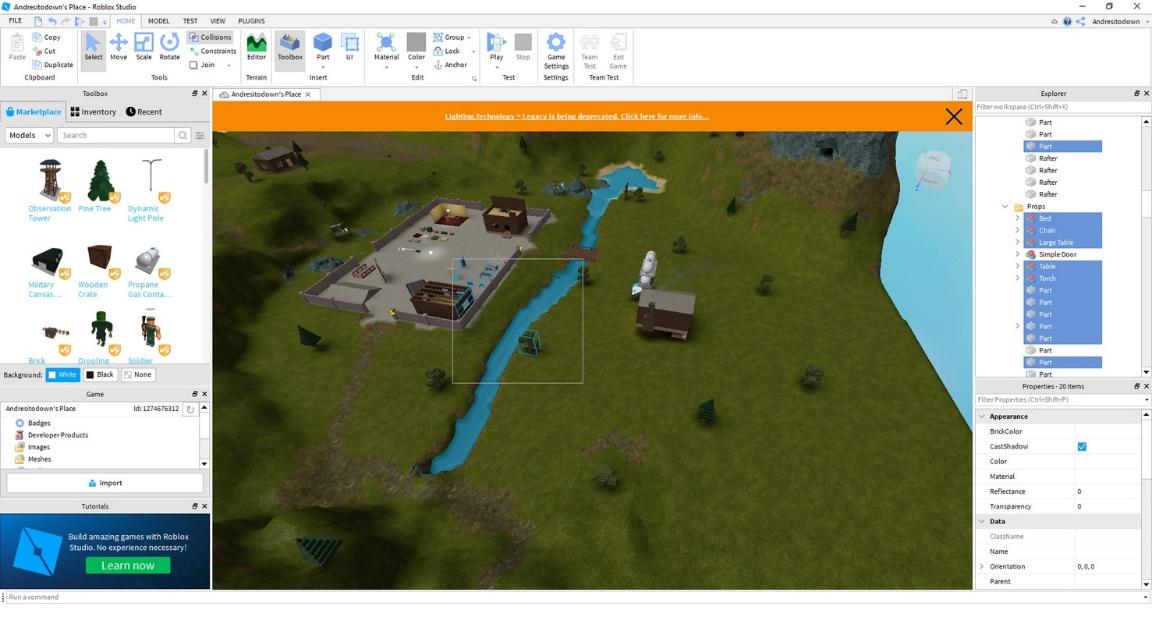
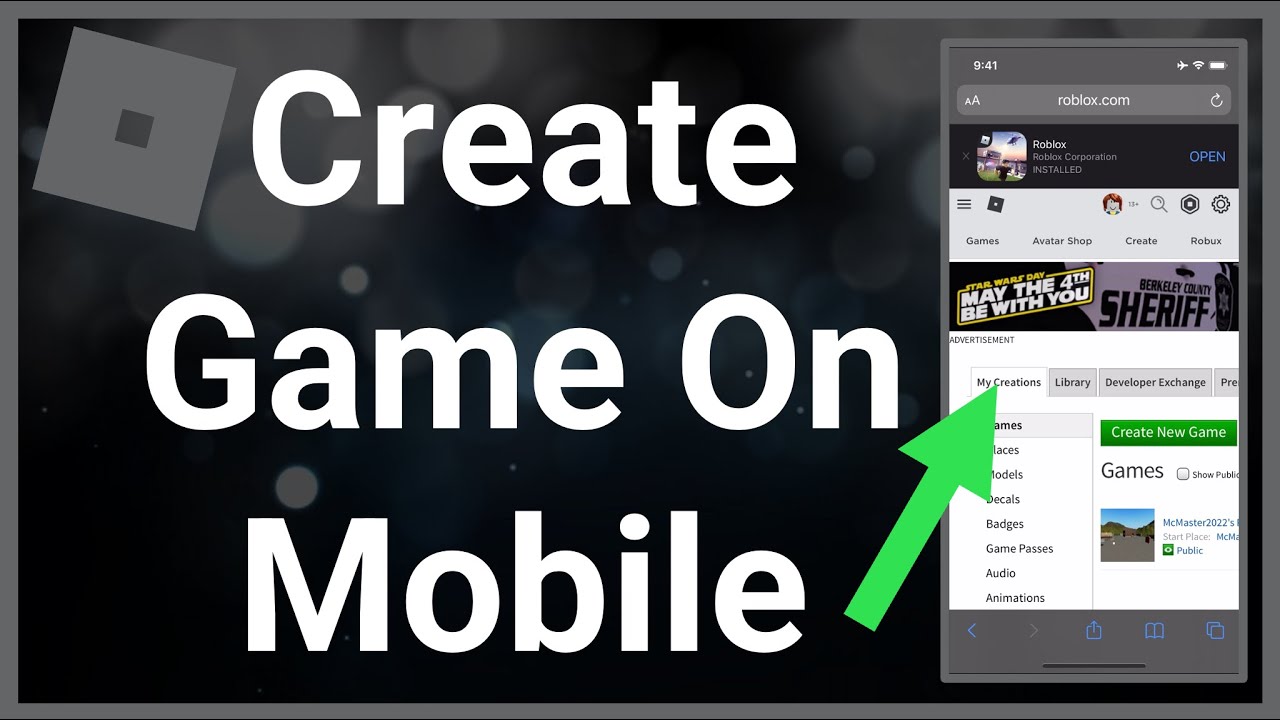
The short and direct answer to "can you make a Roblox game on mobile" is currently no, you cannot directly create a full Roblox game experience on a mobile device like a smartphone or tablet. The foundational tool for developing games on Roblox is Roblox Studio, a sophisticated and comprehensive software suite meticulously designed and optimized exclusively for desktop operating systems such as Windows and macOS. Roblox Studio empowers creators with a vast array of features essential for every stage of game development, encompassing intuitive terrain editing, powerful scripting capabilities using Lua, intricate user interface design tools, efficient asset management systems, and the implementation of complex game logic. While the widely popular Roblox player app is readily available on mobile devices, allowing millions of US gamers to effortlessly enjoy countless immersive experiences, it conspicuously lacks any integrated development functionalities whatsoever. This critical distinction means that aspiring mobile developers cannot open an existing project, modify a script, or construct a new level directly from the compact screen of their phone or the larger display of their tablet. Understanding this fundamental limitation is absolutely crucial for setting realistic expectations and strategizing effective approaches for mobile-centric creators who dream of building within the Roblox ecosystem.
What Tools Do You Need to Make a Roblox Game?
To truly embark on your Roblox game creation journey, the single most indispensable tool is Roblox Studio. This incredibly powerful yet entirely free software, readily downloadable from the official Roblox website, serves as the central hub where all the creative magic truly happens. It furnishes developers with a comprehensive visual editor for constructing intricate virtual worlds using a diverse library of parts and models, alongside a robust Lua code editor for crafting dynamic game mechanics and interactive experiences. Additionally, it offers advanced animation tools and an efficient asset manager to keep your projects organized. Beyond Roblox Studio itself, a capable PC or Mac computer is an absolute necessity; this device must possess sufficient processing power, adequate RAM, and ample storage capacity to smoothly handle the demanding requirements of the Studio, particularly when working on larger, more graphically intensive, or code-heavy projects. Many professional and amateur creators alike also find immense value in utilizing external 3D graphics software such as Blender for intricate 3D modeling, or image editing applications like Photoshop or GIMP for designing bespoke textures, eye-catching UI elements, and custom decals. Furthermore, for seamless collaboration and staying perpetually connected with the vibrant developer community, communication platforms like Discord are vital, enabling efficient problem-solving, real-time discussions, and the invaluable sharing of insights among team members.
Why Isn't Roblox Studio Available on Mobile Devices?
The conspicuous absence of Roblox Studio on mainstream mobile devices like smartphones and tablets stems from a confluence of significant technical and practical considerations. Foremost among these is the fact that Roblox Studio is an exceptionally complex and feature-rich application. It inherently demands substantial processing power, a considerably large screen for precise visual editing of intricate 3D environments, and highly accurate input methods such as a mouse and physical keyboard to efficiently navigate complex interfaces and meticulously write code. Current mobile device interfaces, while brilliantly optimized for content consumption and casual gaming, are simply not ergonomically designed for such intensive, precise, and multi-faceted creation tasks. Touch controls, despite impressive advancements over the years, would render object manipulation, intricate UI layout, and particularly script debugging incredibly cumbersome and frustrating. Secondly, the fundamental underlying architecture of mobile operating systems like iOS and Android differs significantly from their desktop counterparts. Successfully porting a desktop-grade application like Roblox Studio, which has been meticulously refined and optimized over many years for specific desktop hardware and software environments, would necessitate a monumental and complete rewrite of its core codebase—an engineering undertaking of colossal proportions for Roblox Corporation. Lastly, resource optimization remains a critical factor; mobile devices typically feature more constrained RAM and storage capacities compared to robust desktop machines, which could invariably lead to a frustratingly slow, unstable, or even crash-prone development experience, ultimately severely impacting creator satisfaction and productivity.
Are There Any Workarounds for Mobile Roblox Game Development?
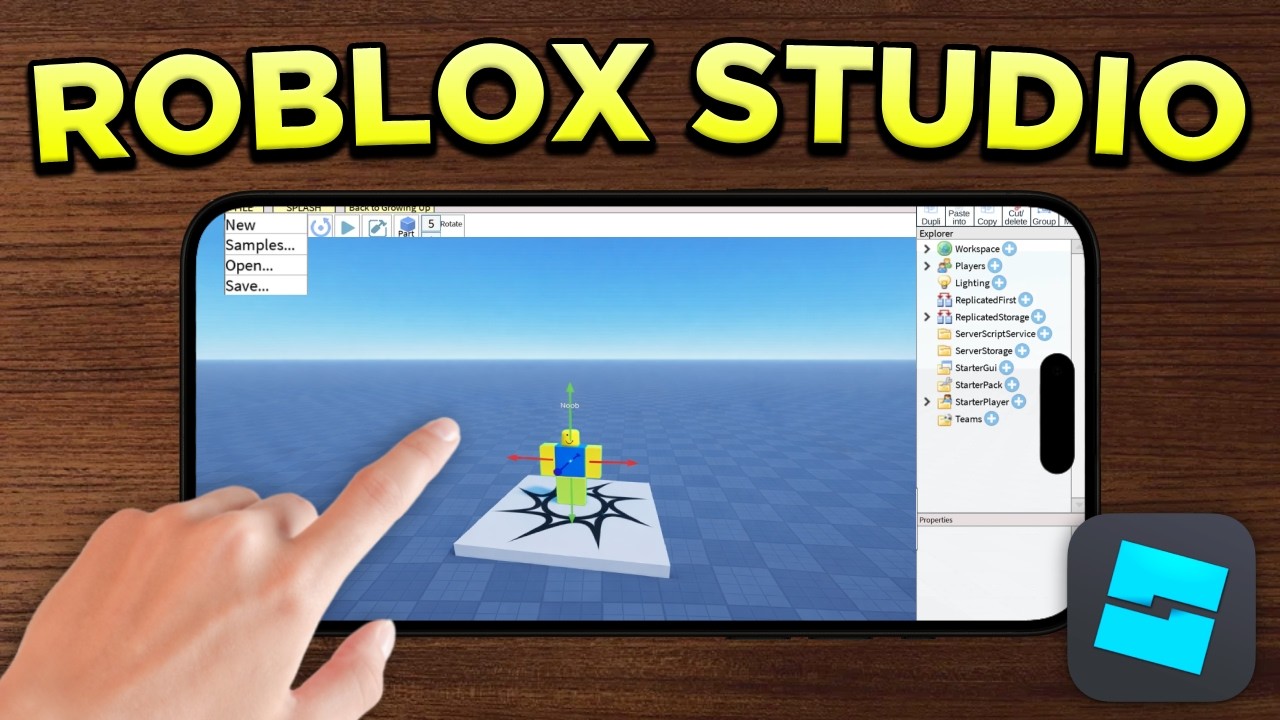
While direct, native creation isn't currently within reach for the question "can you make a Roblox game on mobile", innovative US gamers have ingeniously discovered and implemented effective workarounds to thoughtfully integrate their mobile devices into the broader Roblox development workflow. This is particularly beneficial for those balancing demanding professional and personal schedules, maximizing every sliver of available time. One of the most popular and accessible methods involves leveraging remote desktop applications such as TeamViewer, Google Chrome Remote Desktop, or Microsoft Remote Desktop. These clever tools allow you to seamlessly access and meticulously control your powerful home PC directly from your mobile device, essentially streaming your full desktop experience directly to your smartphone or tablet screen. This setup empowers you to interact with Roblox Studio, albeit with some inevitable network latency and a less precise touch-based interface compared to a physical mouse. Another increasingly viable and robust option is the utilization of cutting-edge cloud computing services that offer fully virtualized desktops accessible from virtually any internet-connected device. Services like Shadow.tech or various offerings from major cloud providers like AWS or Azure can provision a powerful virtual machine running a full Windows or macOS environment, which you can then connect to via your mobile browser or a dedicated client application. This effectively grants you access to a high-performance PC residing in the cloud. Furthermore, some creators wisely leverage their mobile devices for a multitude of non-Studio specific, yet crucial, tasks: this includes diligently outlining new game ideas, sketching preliminary UI concepts, managing vital community interactions on Discord, or even drafting basic Lua script snippets in a mobile text editor for later seamless integration into Studio.
How Can Mobile Devices Enhance Your Roblox Creation Workflow?
Even in the absence of direct creation capabilities, your mobile device can undeniably prove to be an invaluable and powerful asset within your Roblox game development workflow, especially for the time-constrained and busy gamer. Consider it your essential, portable command center, always within arm's reach. Firstly, mobile devices excel brilliantly at playtesting and meticulous bug reporting. You can effortlessly and quickly launch your published game on various mobile devices (smartphones and tablets of different sizes) to thoroughly check for critical issues such as UI scaling inconsistencies, potential performance bottlenecks, and the overall responsiveness and intuitiveness of touch controls. This dedicated mobile testing phase is absolutely crucial, given that mobile players constitute a very significant and ever-growing portion of Roblox's immense user base. Secondly, your mobile device is perfectly suited for spontaneous ideation and comprehensive documentation. Utilize intuitive note-taking apps to instantly jot down brilliant game ideas, intricate quest lines, compelling character concepts, or even complex lore whenever and wherever inspiration unexpectedly strikes. Voice memos offer an excellent way to capture fleeting thoughts before they vanish. Thirdly, mobile platforms enable highly effective community engagement and streamlined team collaboration. Essential apps like Discord, Slack, or Trello on your phone empower you to seamlessly communicate with your dedicated development team, proactively gather vital feedback from your player community, and efficiently manage ongoing tasks from virtually any location. This continuous connectivity prevents frustrating development roadblocks and ensures consistent progress, even during short, otherwise unproductive bursts of free time throughout your busy day.
What Are the Limitations of Mobile-Only Roblox Development?
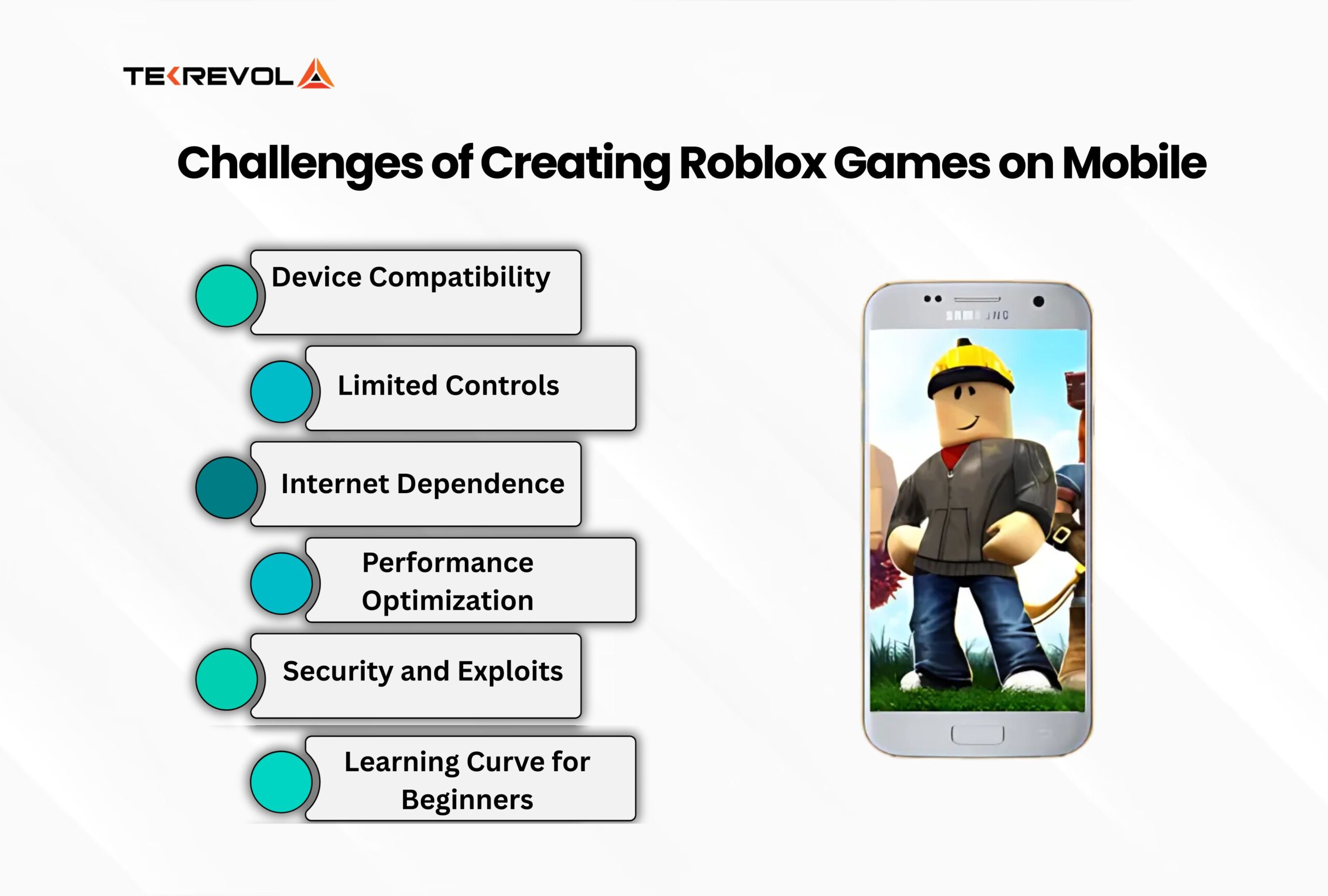
Attempting a strictly mobile-only approach to Roblox game development, even when employing the clever workarounds previously discussed, inevitably comes with a set of significant limitations that diligent US gamers should be acutely aware of. Understanding these constraints is vital for maintaining realistic expectations and optimizing your efforts. The most prominent and arguably debilitating limitation is the inherent lack of precision and overall efficiency. Developing intricate 3D environments, meticulously crafting complex UI layouts, and writing detailed, bug-free scripts fundamentally demands the granular control and speed offered by a traditional mouse and physical keyboard. Touch interfaces, even on larger and more advanced tablets, are by their very nature less accurate and considerably slower, inevitably leading to frustratingly protracted progress and an increased likelihood of errors. Performance degradation and significant network latency also represent major concerns when relying heavily on remote desktop or cloud streaming solutions. Unstable or slow internet connections can introduce noticeable delays between your touch input and the on-screen reaction, rendering real-time editing and rapid playtesting incredibly difficult and frustrating. Furthermore, the inherent screen size constraints, particularly on smartphones, make viewing and effectively manipulating Roblox Studio's numerous, often information-dense panels and windows an enormous challenge. While tablets do offer a larger display, they still fall significantly short of the expansive screen real estate provided by a multi-monitor desktop setup. These cumulative factors collectively imply that while mobile devices can certainly supplement and enhance certain aspects of development, relying solely on them will severely impede your overall productivity, limit the complexity of your game designs, and ultimately restrict the polish and ambition of the Roblox games you can realistically create.
How Can Busy Gamers Balance Roblox Creation with Life?
Balancing the exciting endeavor of Roblox game creation with the often-overwhelming demands of a full-time job, family responsibilities, and an active social life is a profoundly common and relatable challenge for adult US gamers. The cornerstone of success in this balancing act lies in adopting incredibly efficient time management strategies and setting realistically achievable goals. First and foremost, make a conscious effort to schedule dedicated "creation blocks" into your calendar, treating them with the same importance as any other crucial appointment. Even if these blocks are just 30-60 minutes a few times each week, consistency is key. Second, learn to master the art of breaking down large, daunting tasks into much smaller, more manageable steps that can be tackled effectively in short, focused bursts of time. Instead of thinking "build an entirely new level," reframe it as "design three new environmental assets today" or "script one specific UI element." Third, strategically leverage your mobile device for supplementary tasks like brainstorming ideas, managing community interactions, or conducting quick bug checks, thereby reserving your precious dedicated PC time for the most critical core development activities within Roblox Studio. Fourth, practice mindful prioritization and judicious delegation. If you're fortunate enough to be collaborating with a team, ensure tasks are assigned based on individual availability, expertise, and strengths. Finally, and perhaps most importantly, always remember that gaming and game creation should ultimately be an enjoyable and fulfilling pursuit. Do not allow the inherent pressures of development to detract from the relaxation, fun, and creative satisfaction you initially sought. Be patient and kind to yourself throughout the process, and never forget to celebrate even the smallest victories along your creative journey.
What Skills Are Essential for Roblox Game Development?
Becoming a successful and proficient Roblox game developer, even if you are embarking on your journey with a mobile-assisted workflow, necessitates the acquisition and honing of a diverse and robust set of skills. At its very core, a strong grasp of Lua scripting is absolutely fundamental. A solid understanding of core programming concepts such as variables, control flow (loops and conditionals), functions, and object-oriented programming principles is utterly crucial for effectively translating your innovative game ideas into tangible, interactive mechanics and dynamic gameplay. Beyond purely coding, strong skills in 3D modeling and asset creation are incredibly valuable; these often involve utilizing external software like Blender to craft unique characters, bespoke props, and distinctive environmental elements that help your game visually stand out from the crowd. Proficient User Interface (UI) and User Experience (UX) design is equally critical; a meticulously designed UI is not only aesthetically pleasing but also intuitively navigable and highly engaging, significantly enhancing player retention and overall satisfaction. Adept level design is about skillfully crafting compelling, challenging, and ultimately fun play spaces that captivate players. Finally, a relentless aptitude for problem-solving and meticulous debugging are daily necessities in the world of game development. The invaluable ability to swiftly identify issues, accurately trace errors within your code, and devise creative, effective solutions will undoubtedly save you countless hours of frustration. Many of these essential skills are highly transferable from other gaming experiences, professional roles, or even hobbies, making the initial learning curve surprisingly manageable and rewarding for dedicated adult creators.
What Does the Future Hold for Mobile Roblox Game Creation?
The future of direct mobile Roblox game creation remains a vibrant topic of intense speculation and fervent hope within the passionate developer community. While Roblox Corporation has not, as of this month's trends, officially announced any plans for a full-fledged mobile version of Roblox Studio, the relentless march of technological progress strongly suggests that such a possibility is not entirely beyond the realm of feasibility. Mobile hardware continues its astonishing trajectory of becoming increasingly powerful, with many contemporary devices now rivaling or even surpassing entry-level laptops in terms of raw processing capabilities. Simultaneously, advancements in cloud gaming and virtual desktop technologies are proceeding at a rapid pace, making remote access solutions progressively smoother, more responsive, and increasingly viable for intensive tasks. Should Roblox ever make the strategic decision to pursue a mobile version of Studio, it would most likely begin as a streamlined version, perhaps initially focusing on simpler tasks like efficient asset arrangement, basic visual scripting, or mobile-specific UI design, while still relying on desktop counterparts for the most complex and resource-intensive operations. The sheer demand from Roblox's enormous global, mobile-first audience is immense, and empowering these creators on their preferred devices could undoubtedly unlock an entirely new wave of innovation and creative expression. For now, however, it largely remains an aspirational dream, one that many developers ardently hope the company will consider addressing in future platform updates, potentially catering directly to the needs of busy, on-the-go creators who continually ask "can you make a Roblox game on mobile?"
How Can You Test and Iterate Your Roblox Game on Mobile?
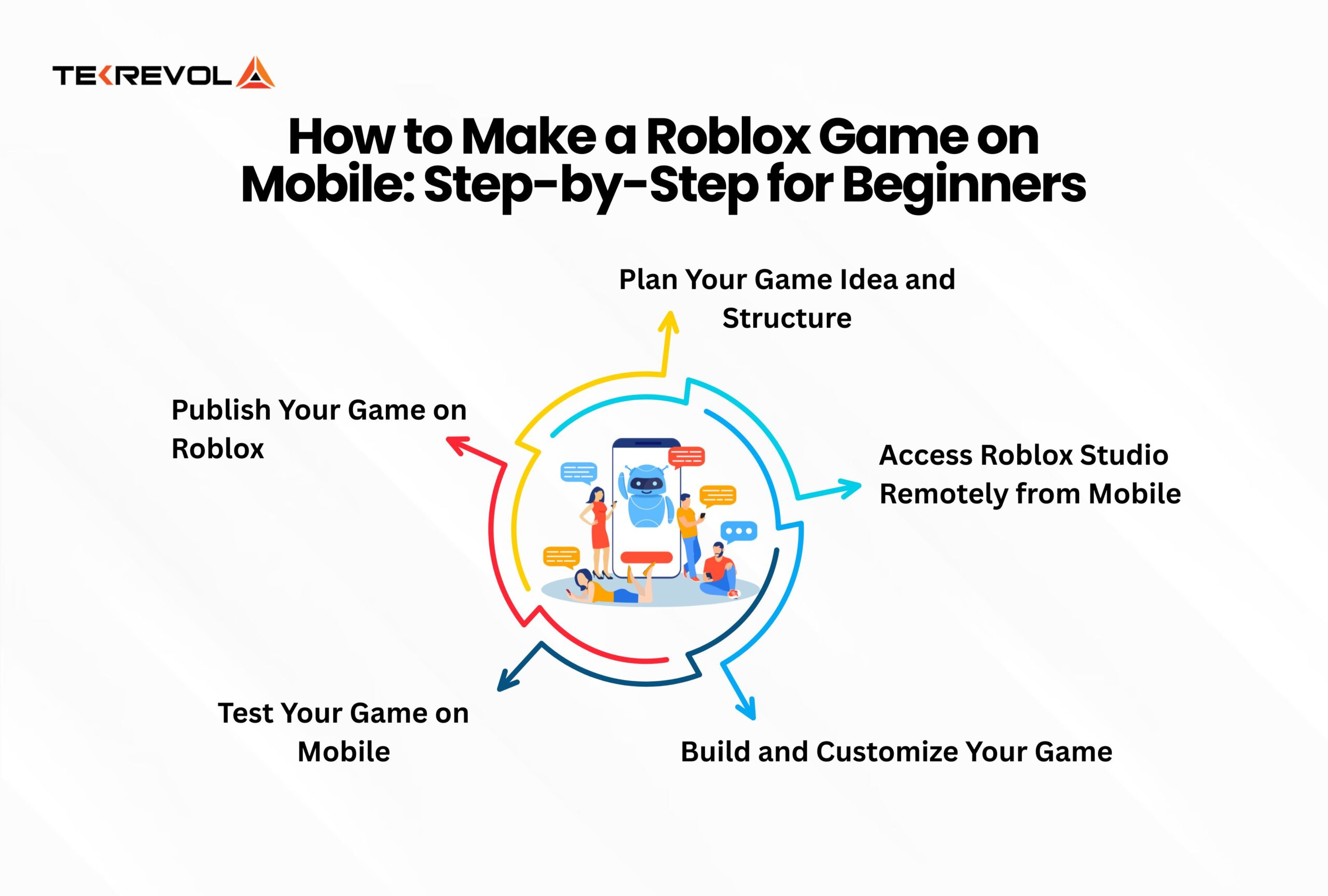
Thoroughly testing and meticulously iterating your Roblox game on mobile devices is an absolutely critical phase of the development cycle, ensuring that your creation delivers a smooth, engaging, and enjoyable experience for your diverse player base. Once you have developed a substantial portion of your game within Roblox Studio on your PC, the process for mobile testing is straightforward. First, publish your game to the Roblox platform. Next, grab your mobile device—be it your personal smartphone or a tablet—and launch the Roblox player app. Navigate to your game (it might be under "My Creations" or "Experiences" if you have published it publicly or privately) and begin playing. During this vital testing phase, pay extremely close attention to several key aspects. Crucially, observe UI scaling: ensure that all interactive buttons, informative text, and graphical elements are perfectly readable, appropriately sized, and fully responsive across a wide range of different mobile screen sizes and orientations. Scrutinize the touch controls: verify that character movement, environmental interactions, and camera manipulation feel entirely natural, intuitive, and lag-free using touch inputs. Lastly, rigorously monitor performance: keep a sharp eye out for any signs of lag, noticeable frame drops, or unexpected crashes, particularly when exploring graphically complex areas or engaging in intensive gameplay sequences. Meticulously document any bugs you encounter or areas that could be significantly improved. This direct and iterative feedback loop is simply invaluable. Return to Roblox Studio, diligently implement the necessary adjustments and fixes, republish your updated game, and then diligently retest on mobile. This continuous cycle of development, dedicated mobile testing, and iterative refinement will dramatically enhance the overall quality, accessibility, and player satisfaction of your game for the vast and ever-growing mobile Roblox audience.
***
FAQ Section
Can I use a tablet to create Roblox games?
No, a tablet cannot directly run Roblox Studio for game creation. While a larger screen is helpful, tablets use mobile operating systems (iOS/Android) that are incompatible with the desktop-only Roblox Studio. You can, however, use remote desktop apps on a tablet to control a PC running Studio, offering a somewhat better experience than a phone due to screen size.
Is there a simpler version of Roblox Studio for mobile?
Currently, there is no simpler or 'lite' version of Roblox Studio specifically designed for mobile devices. The Roblox player app on mobile is solely for playing existing games. Any official tools for creation remain exclusive to the full Roblox Studio on PC and Mac.
How do I upload assets to Roblox from my phone?
You cannot directly upload assets like images, audio, or 3D models to Roblox from your phone. Asset uploading is a feature within Roblox Studio, which requires a PC. However, you can use cloud storage services (like Google Drive or Dropbox) to transfer assets from your phone to your PC, then upload them via Studio.
Can I collaborate on Roblox games using only mobile?
Direct collaboration within Roblox Studio requires a PC. However, you can use your mobile device to communicate with team members, manage tasks, and give feedback on designs via communication apps like Discord or project management tools like Trello. The actual in-Studio collaborative editing must be done on a desktop.
Is it possible to earn money from Roblox games made indirectly on mobile?
Yes, if you successfully create and publish a popular Roblox game using desktop tools (even if you leveraged mobile for ideation or testing), you can earn Robux through various monetization methods like game passes, developer products, and Premium Payouts. These Robux can then be converted to real-world currency via the Developer Exchange program, regardless of your initial development setup.
What are some good resources for mobile-first game design in Roblox?
For mobile-first design, focus on Roblox's official developer documentation for UI design and optimizing performance. Look for community tutorials on "Roblox responsive UI," "mobile performance tips Roblox," and "touch controls best practices." Engaging with the Roblox Developer Forum and Discord servers often provides direct insights from experienced creators about mobile optimization strategies.
***
Conclusion
While the dream of creating full-fledged Roblox games directly on your mobile device remains just that a dream for now the reality is far from discouraging for the busy US gamer. We've explored that Roblox Studio the essential tool for development is a desktop exclusive but your mobile device can be an incredibly powerful companion. From testing game performance and UI on various mobile screens to managing team communications and capturing brilliant ideas on the go mobile integration enhances your workflow without demanding constant PC presence. The key lies in smart strategy using remote access solutions for core development and leveraging your phone for all supplementary tasks. Balancing life and creation is about efficiency breaking down tasks and prioritizing your time effectively. The future may hold more direct mobile creation options but for today you have all the knowledge to navigate the current landscape and bring your Roblox visions to life. Don't let a busy schedule deter your creative spark.
What's your biggest gaming challenge? Comment below! Share your best tips for balancing creation and life.
Roblox Studio required for development is PCMac only. Mobile devices are primarily for playing and testing Roblox games. Limited indirect mobile creation options exist via cloud services or remote desktop. Future possibilities for direct mobile creation are uncertain but desired by the community. Focus on using mobile for game testing and content ideation. PC development remains the core method for Roblox game creation. Streamline your workflow for optimal game development with limited time.
35



How To Make A Roblox Game On Mobile 2026 New Update YouTube . How To Create Roblox Games On Mobile YouTube . HOW TO MAKE A ROBLOX GAME EXPERIENCE ON MOBILE 2026 YouTube . Can You Make Roblox Games On Mobile Complete Guide Post 1 1 Scaled.webp. Can You Make Roblox Games On Mobile Complete Guide Post 2 1 Scaled.webp



Can You Make Roblox Games On Mobile Complete Guide Post 4 Scaled.webp. Roblox Game Development On Mobile Everything You Need To Know Challenges Of Creating Roblox Games On Mobile Scaled . Can You Make Roblox Games On Mobile Complete Guide 576x1024 . Can You Make Roblox Games On Mobile YouTube . Roblox Game Development On Mobile Everything You Need To Know How To Make A Roblox Game On Mobile Step By Step For Beginners Scaled



How To Make Roblox Game Public Step By Step YouTube . How To Make A Roblox Game In 15 Minutes Create Roblox Games Step 10 1024x548 . How To CREATE GAME On Roblox Mobile Make Roblox Games On Phone Roblox . Roblox Game Development On Mobile Everything You Need To Know Stat Image 1 3 Scaled . How To Make ROBLOX GAMES On Mobile IOS Android YouTube




Can You Make Roblox Games On Mobile Complete Guide Post 3 1 Scaled.webp. Can You Make Roblox Games On Mobile All You Need To Know Roblox Studio . How To Make A Roblox Game On Mobile PCGames Tk Roblox Game 1536x960 . Can You Make Roblox Games On Mobile Complete Guide. 12 Best Roblox Games To Play In 2026 Insider Ranked List 12 Roblox Top Games Of 2026.webp

HOW TO MAKE ROBLOX GAME ON MOBILE 2026 QUICK EASY YouTube . How Can You Play Roblox In 2026 And Beyond Roblox Xbox Can You Play Roblox On Xbox 1480 800 1.webp. How To Make A Roblox Game With AI Complete 2026 Guide Image. How To Create Roblox Games On Mobile Phones Touch Tap Play ILw. How To Get Roblox Studio On MOBILE 2026 IOS Android Make



Can You Make Roblox Games On Mobile Complete Guide Group 174 . Can You Make Roblox Games On Mobile All You Need To Know 1024x576 . Can You Make Roblox Games On Mobile All You Need To Know JH OT 2 Large 148x148 . Can You Make Roblox Games On Mobile All You Need To Know Marcel Mlbb 1024x576 . Can You Make Roblox Games On Mobile All You Need To Know 148x148


How To Create A Roblox Game On Mobile In 2026 Easy Step By Step Guide Hqdefault . How To Create Roblox Games On Mobile YouTube . How To Make A Game On Roblox Step By Step Mobile PC Alvaro Tips Tricks Making Roblox Games . Learn How To Make A Roblox Game On Mobile Roblox Eth1 . How To Make A Roblox Game On Mobile PCGames Tk How To Make A Roblox Game On Mobile